A script editor that thinks in shots
Write like a screenwriter and storyboard as you go: scene headings and speakers format themselves, every line belongs to a shot, and the same script follows you across the board, the canvas and your exports. Import from Final Draft or Fountain, and leave the same way.

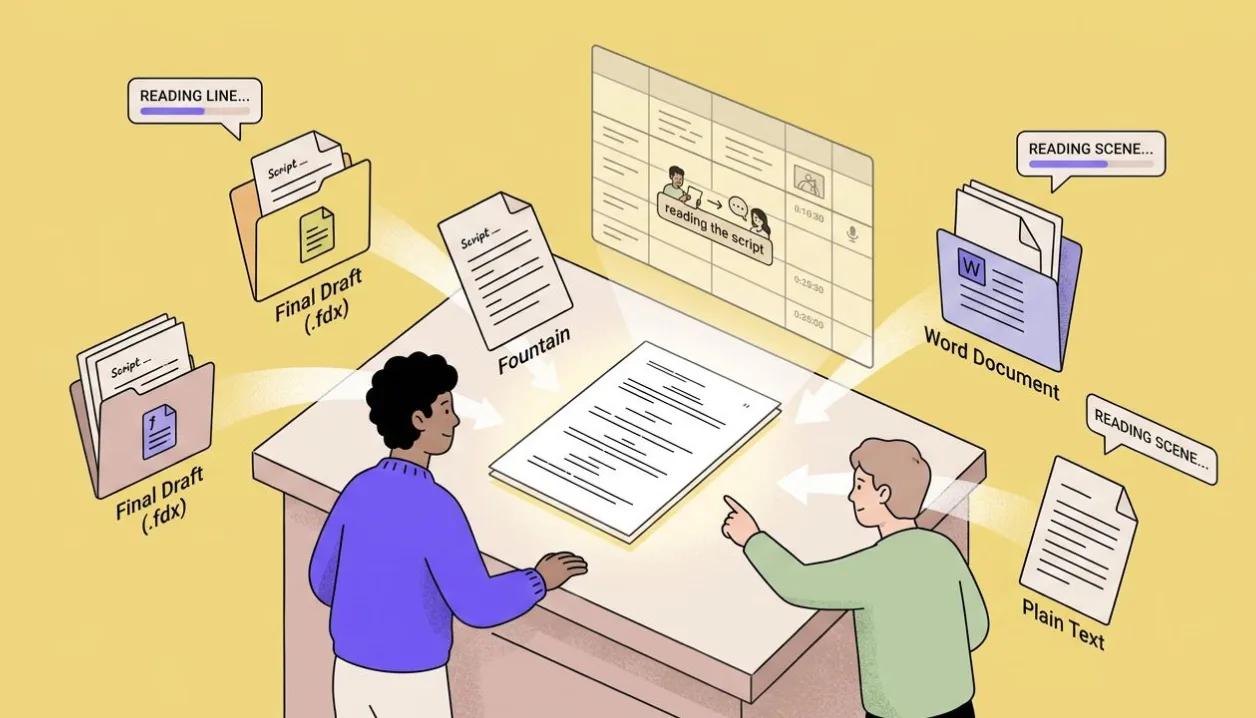
Import the script you already have
Bring in Final Draft (.fdx), Fountain, Word or plain text, or simply paste the pages. Before anything is created you see exactly how every scene and line was read, so the script lands in your project just as you wrote it.

Write like a screenplay
Scene headings, speakers and dialogue take proper screenplay form as you write: headings in caps, dialogue indented, the page reading the way a script should. Press Tab to start a line of dialogue, and the / menu drops in captions, production notes and lyrics.
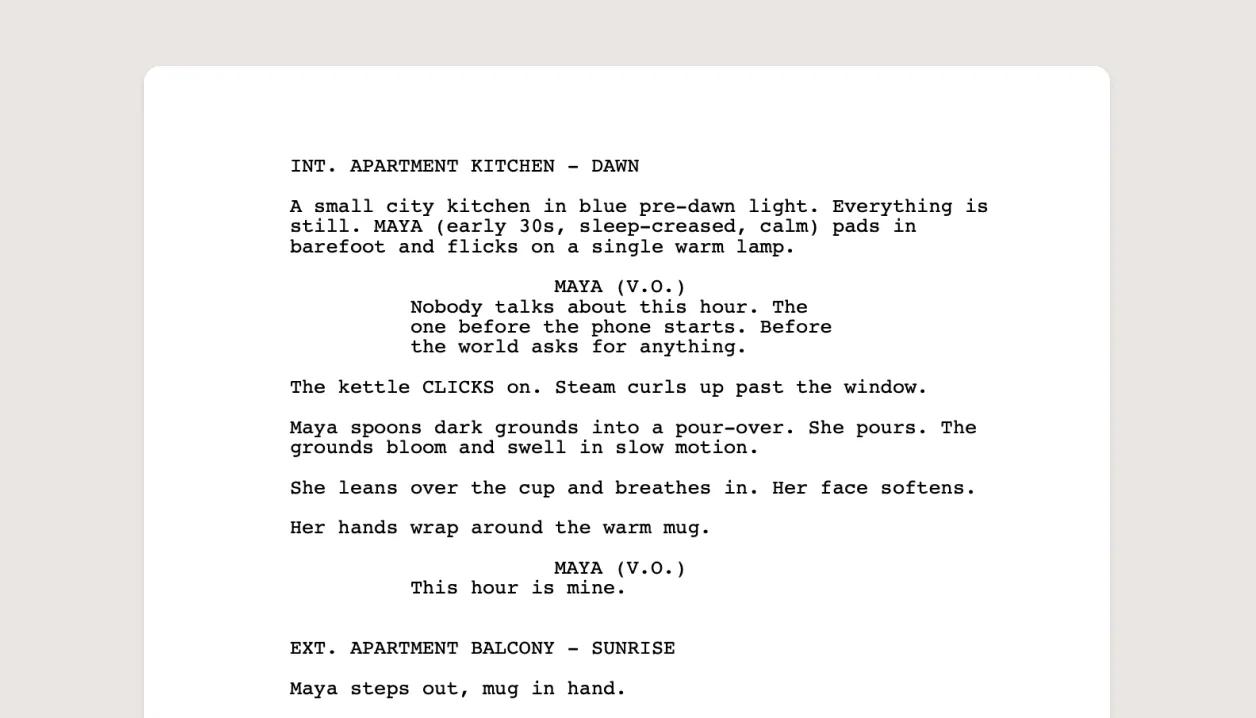
Export a properly formatted screenplay
Send the script out as a screenplay PDF, Word, plain text, Fountain or Final Draft (.fdx). A Final Draft export can record where each shot begins, so if the file ever comes back to StoryTribe your exact shot breakdown returns with it.

Tag your characters, places and shots as you write
Type @ to tag a character, location or prop from your project, and # to point at a scene or shot. When a character speaks, their name links to your cast. Tags keep the script connected to the exact people, places and shots they mention.
Learn how
The Script viewThe Script view lays the whole project out as a screenplay: scene headings, then one card per shot with its script and thumbnail. Write here and the shots appear on the Storyboard.OverviewScript blocks: Action, Dialogue, Caption, Note and LyricA shot's script is a stack of text blocks. Action is the default; Dialogue has a speaker; Caption is on-screen text; Note is a production note; Lyric is a sung line.Concept@mentions and #references in your scriptType @ to mention an element (a character, location, prop or style) and # to point at a scene or shot. A mention shows the element's picture, keeps names consistent and gives Tribe AI the element's details.ConceptRich text in the scriptScript lines and scene descriptions take bold, italic, underline, strikethrough, text color and highlight. Select some text to get the toolbar. Not every format survives every export.ConceptImport a script (.fdx, .fountain, .docx, .txt, or paste)Paste a script or drop a Final Draft, Fountain, Word or text file, review how it splits into scenes and shots, map any properties it mentions, and confirm. Scenes and dialogue arrive intact.OverviewExport your script (PDF, Word, text, Final Draft, Fountain)Share › Download › Screenplay exports the script alone, screenplay-formatted, as Fountain, Final Draft, PDF, docx or txt, with the title page from Script details.OverviewTry Script editor on your own project
Free to start. Upgrade when the project needs it.